Saved Class
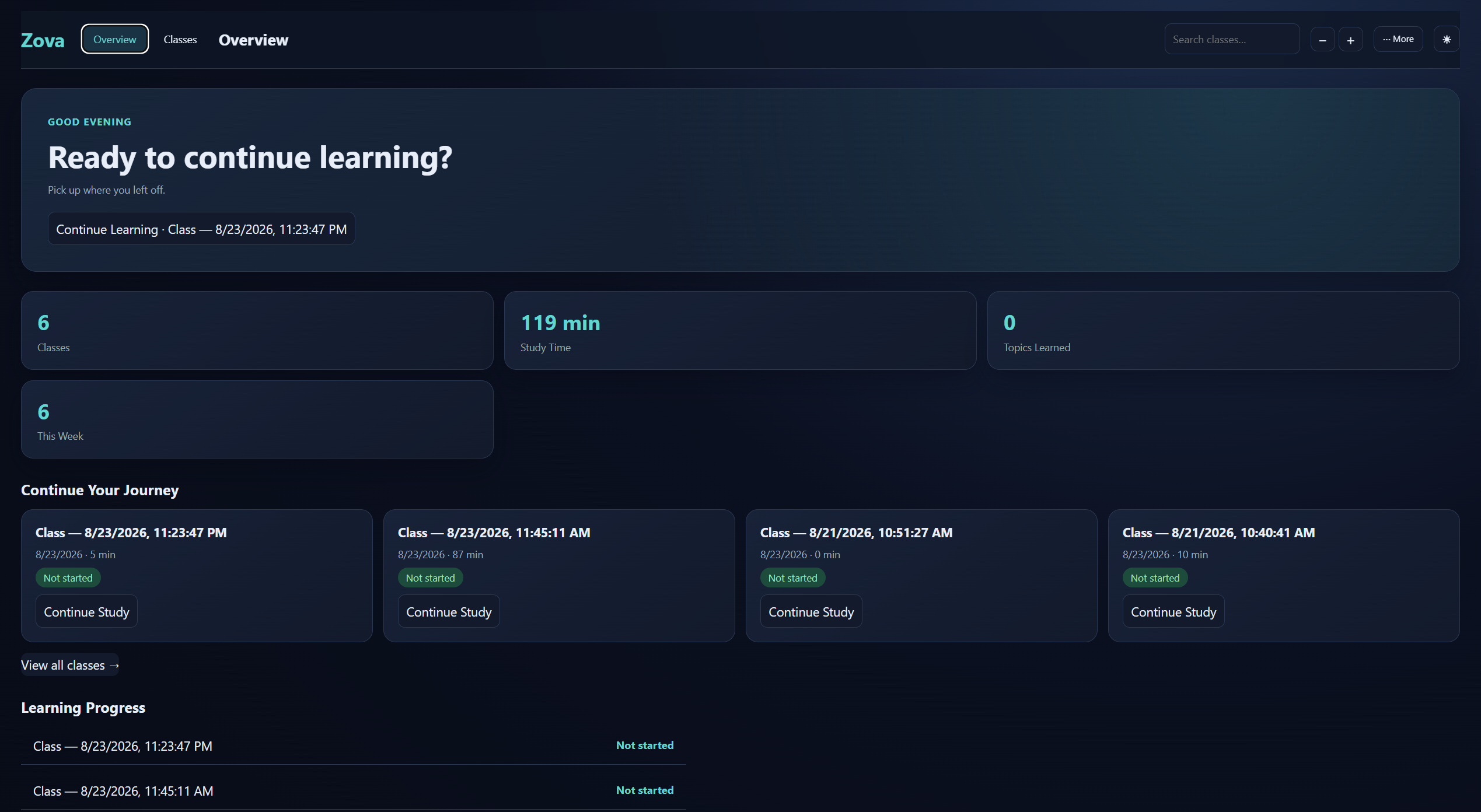
Keep the transcript, translation, Smart Notes and relevant study content together in local class history.
Zova is an AI learning assistant for online classes, courses, educational videos, YouTube and learning platforms — with live transcription, translation, AI explanations and powerful study tools.
Android is currently available through an invited Google Play internal test. External Google services may have their own limits, eligibility requirements or terms.
New · Android
Use live subtitles, translation, optional dubbing, Explain and the floating overlay on your phone.
Join with the invited Google account, tap Join the test, then install Zova from Google Play.
Join the Android test →Features
Zova works beside the lesson you're watching — transcribing, translating and helping you study without leaving the page.
Turn the lesson you're watching into a readable, live transcript — with translation and optional spoken audio.
Live classroom transcript with original and translated lesson text inside a focused, movable interface.
Classroom tab audio is processed through Gemini Live to produce real-time transcript content.
Read lesson content in your selected language, right under the original.
Translated audio playback, enabled separately from Smart Class and class saving.
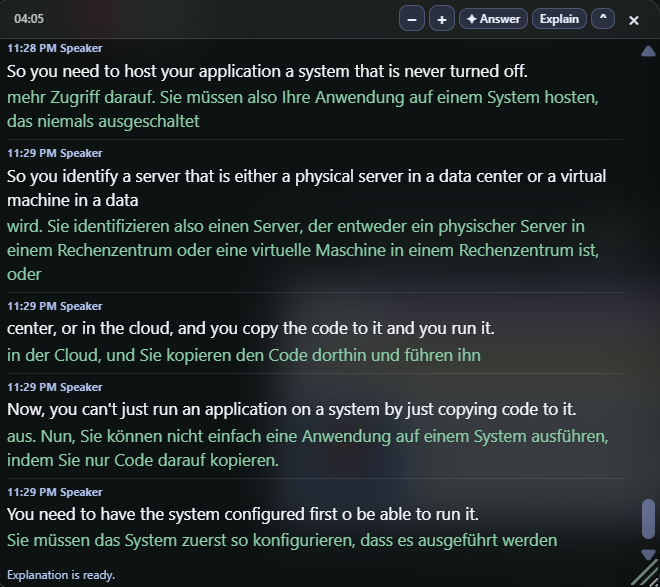
Stuck on a concept? Ask for a focused explanation or a direct answer built from recent educational classroom context.
Process recent educational classroom context in the background and return a focused explanation inside Smart Class.
Send bounded recent classroom context for a concise lesson answer.
Answer and Explain stay focused on the latest meaningful classroom material.
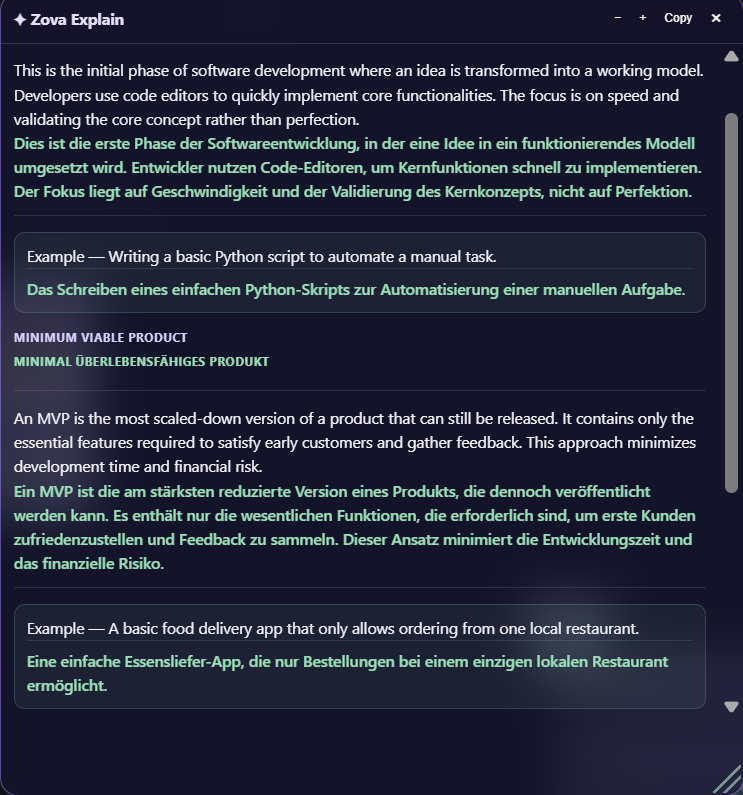
Capture what matters with Smart Notes and save the whole session for later study.
Keep useful lesson notes together with the saved class.
Save the current classroom session for later review.
Automatically protect meaningful class changes while Smart Class is active.
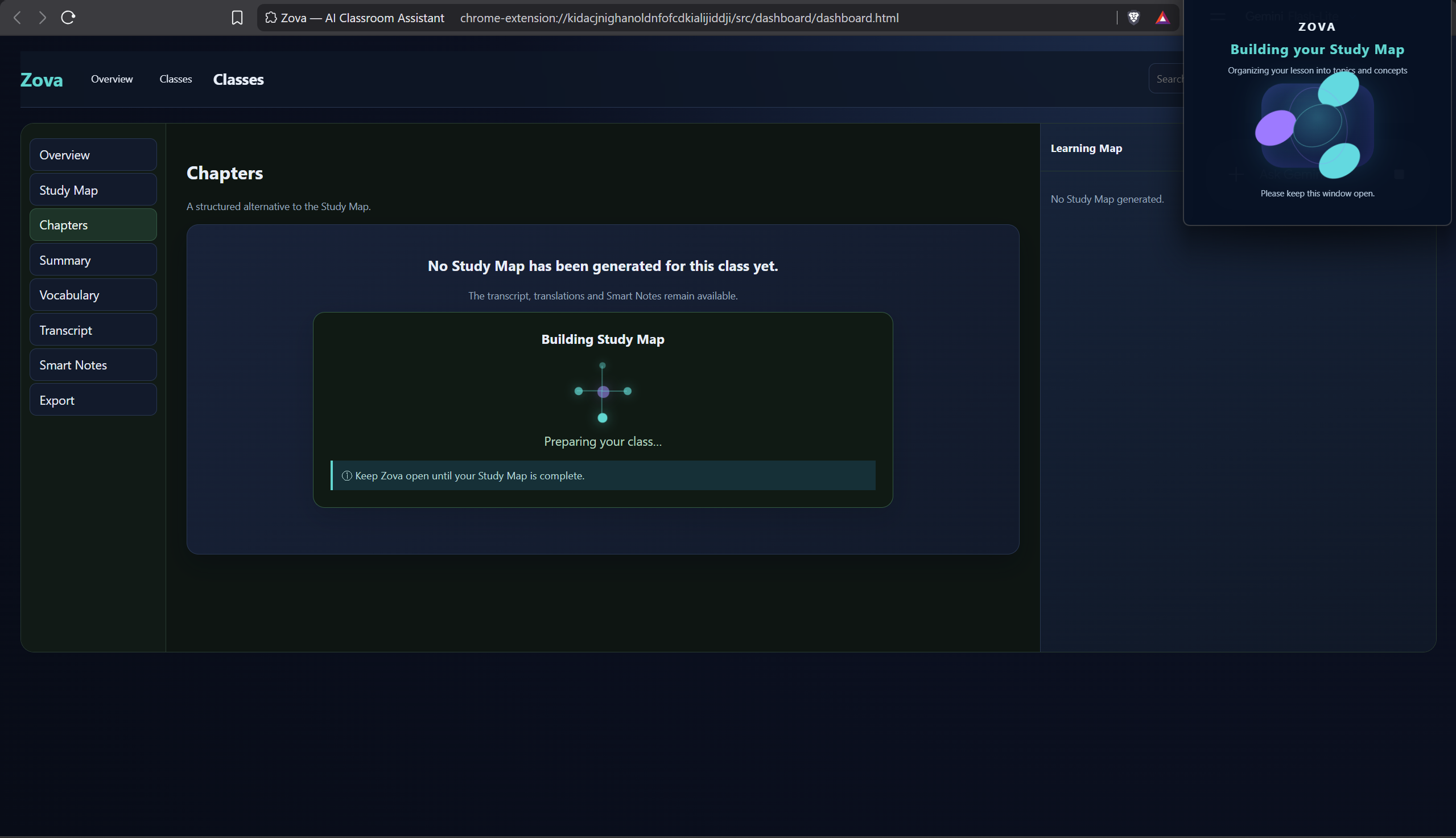
Dashboard is your local learning workspace — manage saved classes, transcripts, translations, Smart Notes, Learning Maps, Study Details and supported backups or exports in one place.
Review saved classes, study time, transcripts, Smart Notes and structured learning material from one place.
Search inside your saved classes to find a moment fast.
Manage your saved lesson history.
Download lesson notes and content when you need them.
Export saved classes to a backup file and restore them later.
From class to learning
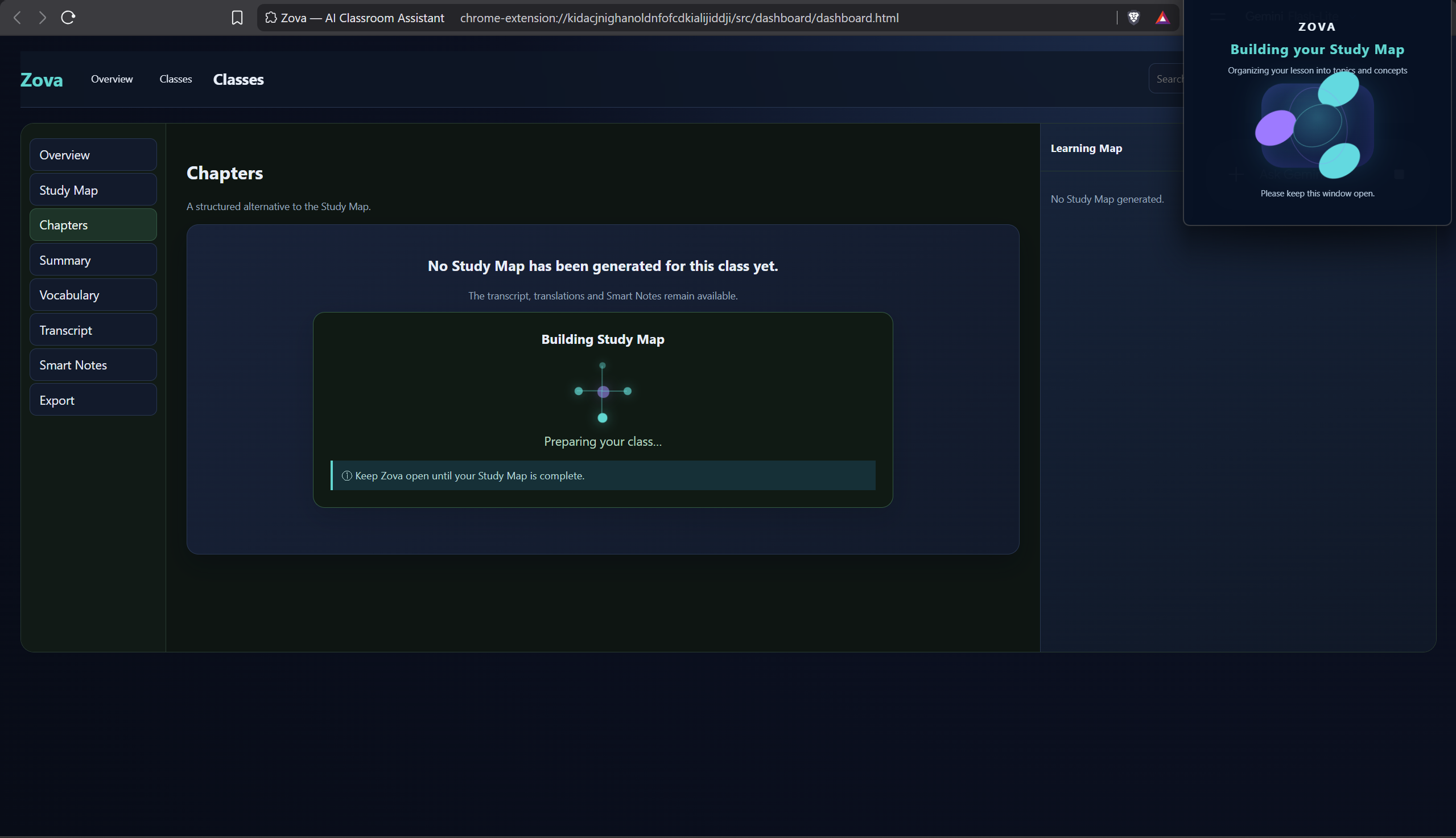
A transcript records what was said. Zova can turn saved classroom evidence into a grounded Learning Map of Chapters, Topics and Concepts, so you can study progressively.
Keep the transcript, translation, Smart Notes and relevant study content together in local class history.
Turn the class into Chapters, Topics and Concepts grounded in the lesson—not one node for every spoken sentence.
Select one Topic or Concept and open a focused study unit with useful sections such as Core Idea, Key Points, Teacher Evidence and Examples when relevant.
Start with the core idea, then use examples, mistakes, terminology, Quick Check, Hint and Quick Recap as useful.
How it works
Two simple paths — one for following the lesson, one for understanding it.
Zova is a Manifest V3 Chrome extension. This is how its pieces fit together under the hood.
tabCapturechrome.storage.localchrome.storage.sessionchrome.downloadsSee Zova in action
Follow the same flow every learner uses — from starting Zova to reviewing a saved class.
Choose your target language and start the classroom session.
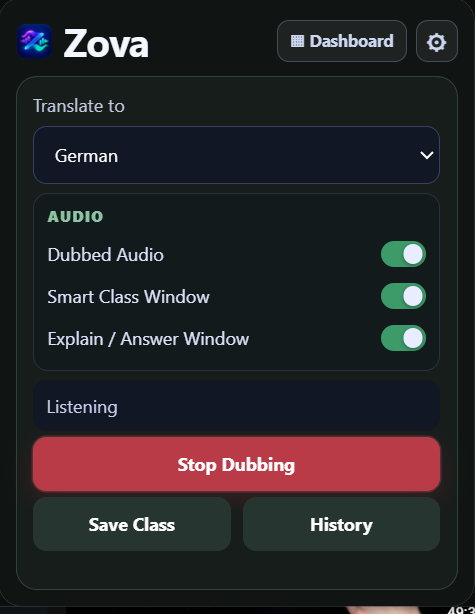
See original classroom content and the selected translation together as the lesson unfolds.
Use Explain or Answer when you need focused help understanding the lesson.
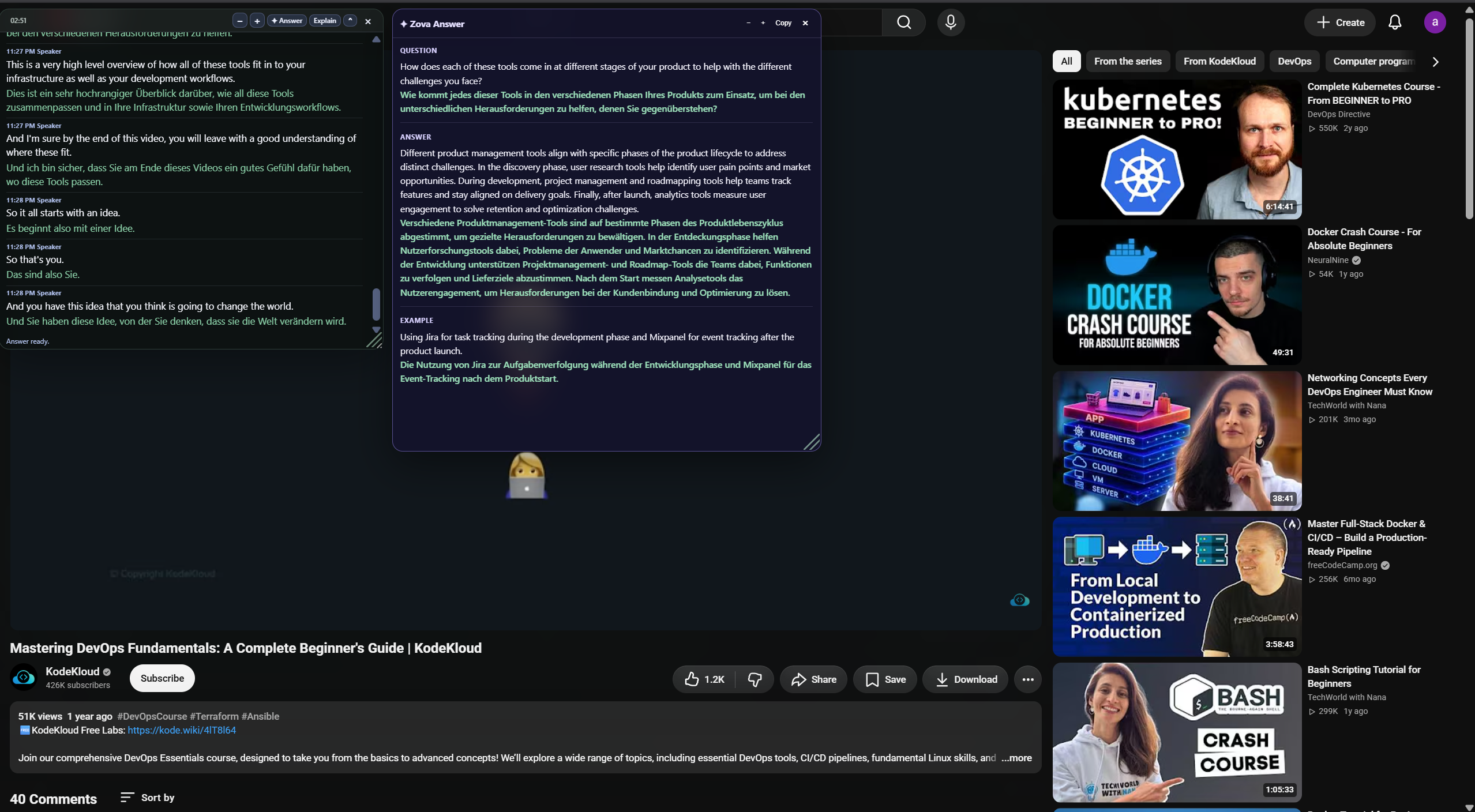
Keep transcripts, translations and Smart Notes for later study — saved locally on your device.
Turn the saved class into Chapters, Topics and Concepts grounded in what was taught.
Choose one Topic or Concept and open a focused study unit for progressive learning.
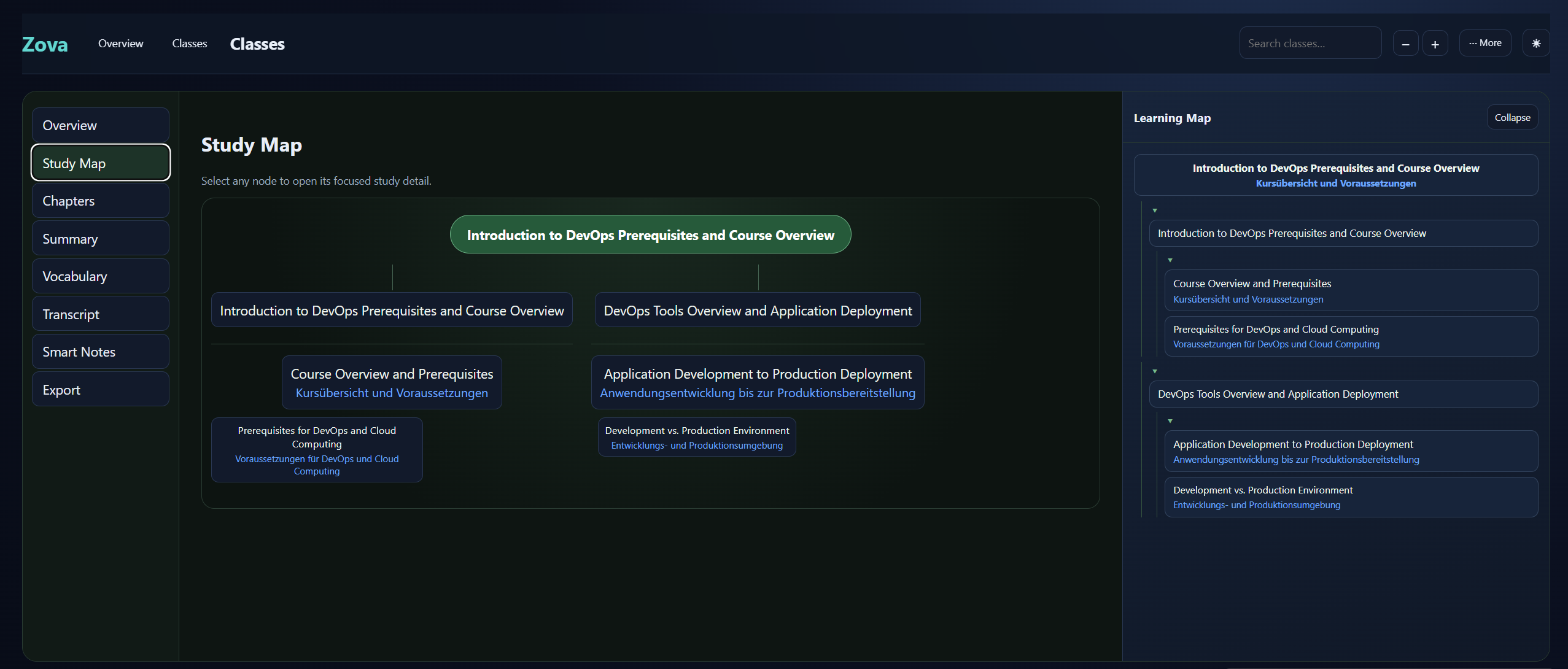
Start with the core idea, then use examples, mistakes, Quick Check, Hint and Quick Recap as useful.
Privacy, by design
Zova starts capture only when you press Start, processes the selected tab for the features you request, and keeps your saved lessons local.
Read Privacy Policy →Questions
Ready when you are
Choose the Zova experience that fits your lesson.
Android is an invited internal test. Learn how to use Zova in the user guide.
From the same creator · AZ-802 practice
Practice questions with explanations, saved progress and spaced review. The Android app keeps learning data on your phone and requires no account.
The app is currently a closed Google Play test. Access requires the invited Google account and an approved, published test release.